

Enterprise · Audit log
Audit log
Every change, sign-in and refused request is in the audit log, written in the same transaction as the change, and a system admin can filter it on one page.
Video coming soon
Audit log
Before you start
- Sign in as
adminSystem admin. Only system admins can open the Audit Log page. - Some activity exists to read. In the examples on this page,
admincreated the flagsexpress-checkout,beta-couponsandone-click-reorderin the team Checkout, archivedone-click-reorder, deletedbeta-coupons, and created the system clientci-code-refs.
What the audit log records
FluxGate writes an audit entry for every change to its configuration:
- flags, their lifecycle, targeting criteria, rule groups and contexts;
- pipelines, stages, environments, approval policies, freeze windows, scheduled changes and canary gates;
- roles, teams, users, SDK clients, system clients and their tokens;
- JWT signing secrets, notification channels and preferences, integrations and settings.
The entry is written in the same database transaction as the change. If FluxGate cannot write the entry, the change fails with 500. A change without an entry cannot happen.
The log also records:
- sign-ins, device logins and license events;
- refused requests, as
policy_denyentries; - each export of the log, as one
audit_exportedentry.
Targeting entries carry ids, counts and context key names. They never carry condition values or context entries. The full before and after values of a criteria or rule-group change are in the flag version that the change stores. Read them on the flag's Versions tab.
Tokens, token hashes, signing secrets, the SMTP password and the SMS auth token are never logged.
What is not logged
Flag evaluations are not logged. POST /api/v1/evaluate, POST /api/v1/metrics/track and the gRPC API are the data plane, and they write nothing to the audit log. Read evaluation volume on Evaluation Analytics instead.
Reads of the audit log through GET /api/v1/audit/events and GET /api/v1/audit/schema are not logged either. An export is logged.
Who can read the log
| Reader | Audit Log page, /api/v1/audit/* | Audit Analytics of a team |
|---|---|---|
| System admin, signed in with a user session | Yes, every team | Yes, every team |
Team member, for example priya Requester or sam Approver | No, 403 | Yes, own teams |
System client token, for example ci-code-refs | No, 403 | Yes, own team only |
A refused read is itself an audit entry: a policy_deny entry, at most one per actor, action, resource and team in 60 seconds. See Teams, users and roles for the roles.
The Audit Log page
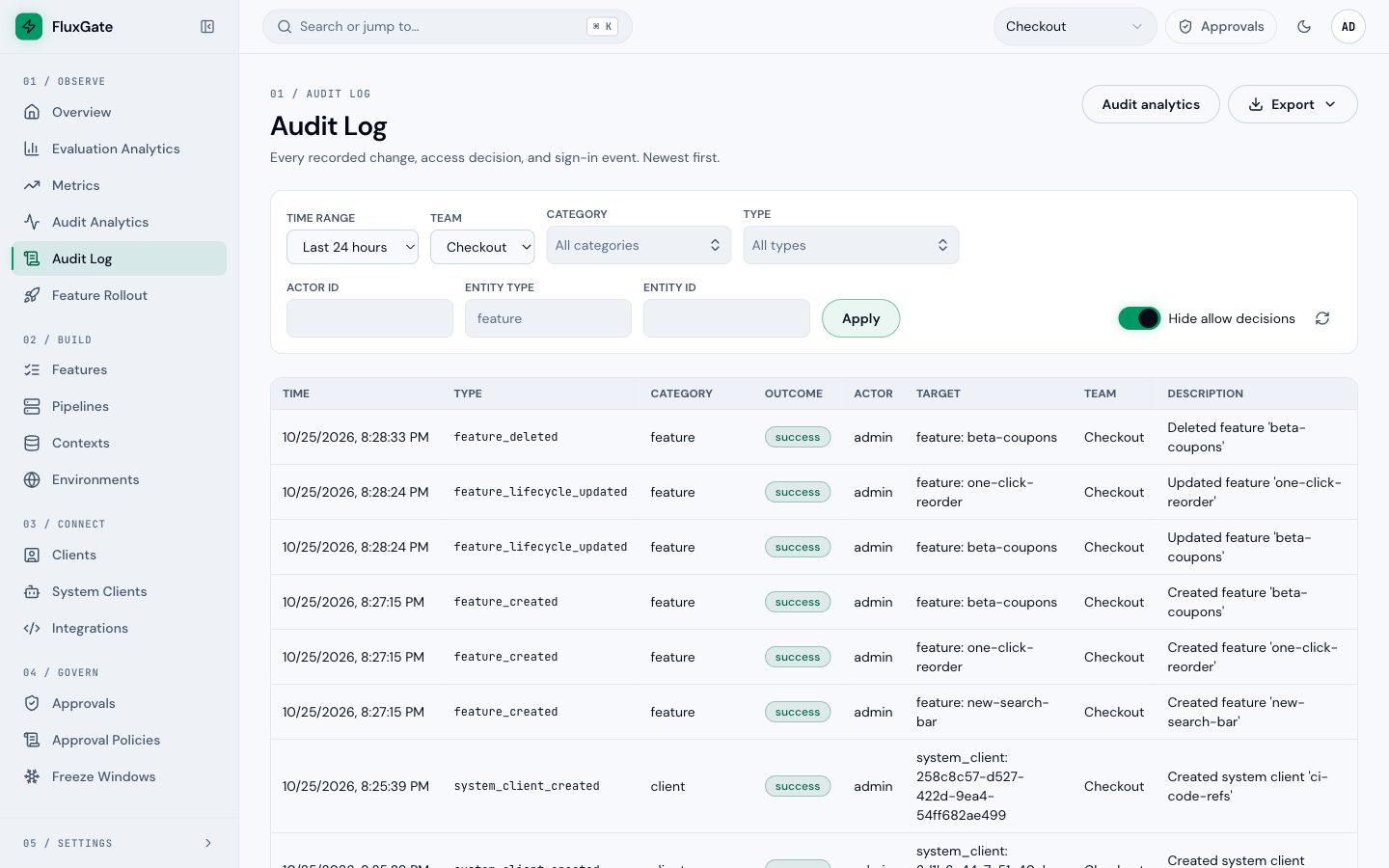
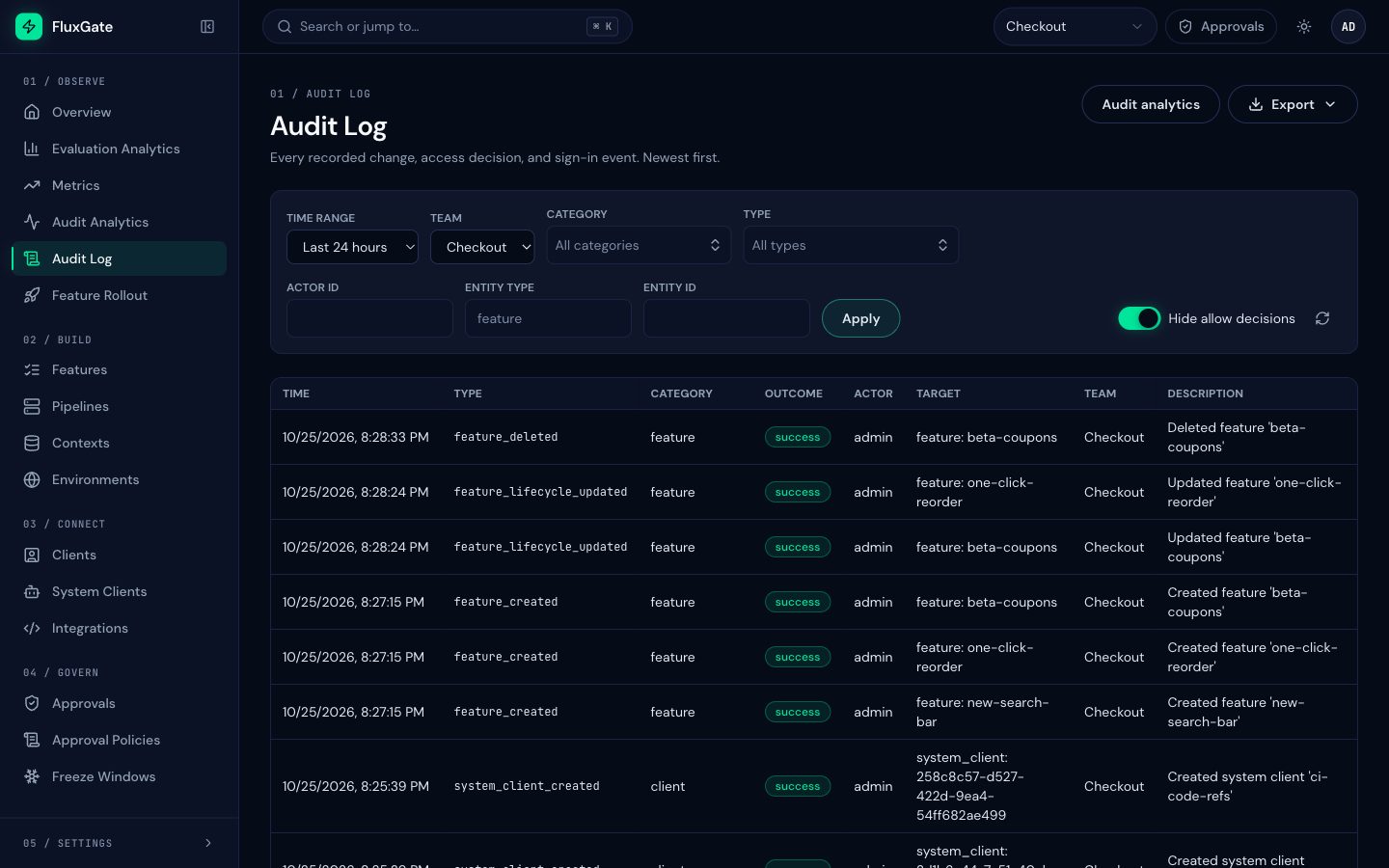
Click Audit Log under Observe in the sidebar, or open /dashboard/audit-log. The page is titled "Audit Log" and lists "Every recorded change, access decision, and sign-in event. Newest first." Users who are not system admins do not see it.
 (opens full size in a new tab)
 (opens full size in a new tab)
Two buttons sit at the top right. Audit analytics opens the Audit Analytics dashboard. Export downloads the filtered entries as CSV or NDJSON. See Export and SIEM.
Filter the log
| Filter | What it does |
|---|---|
| Time Range | Limits the entries to a period, for example Last 24 hours. |
| Team | Shows only the entries of one team. System-wide entries, such as license, user, SSO and export entries, have no team, so a team filter hides them. |
| Category | Shows only the chosen categories, for example feature or access_policy. You can choose several. |
| Type | Shows only the chosen event types, for example feature_deleted. You can choose several. With both a category and a type, you get entries that match both. |
| Actor ID | Shows only the entries of one actor. Enter the actor's id, not the user name. |
| Entity Type | Shows only the entries about one kind of object, for example feature or system_client. |
| Entity ID | Shows only the entries about one object, by its id. |
| Hide allow decisions | Hides the policy_allow entries. |
Click Apply to load the list with the filters. The round arrow next to Hide allow decisions reloads the list.
Hide allow decisions
FluxGate records an access decision for requests. A policy_allow entry says that an access check passed. These entries are most of the log, and they hide the changes you look for. Turn on Hide allow decisions to drop them. Refused requests (policy_deny) stay visible.
Find a change
- Click Audit Log under Observe.
- Choose Checkout in Team.
- Leave Time Range on Last 24 hours.
- Turn on Hide allow decisions.
- Type
featurein Entity Type and click Apply. The list shows only flag entries, newest first. - Read the top row:
feature_deleted, actoradmin, targetfeature: beta-coupons, description "Deleted feature 'beta-coupons'".
Read an entry
Each row is one entry.
| Column | Meaning |
|---|---|
| Time | When the change happened. This is the start time of the database transaction. |
| Type | The event type, for example feature_lifecycle_updated. |
| Category | The group the type belongs to, for example feature or client. |
| Outcome | success, denied (a request was refused) or blocked (a freeze window held a change back). |
| Actor | Who did it: a user such as admin, a system client, or a SCIM provider (scim:<provider slug>). Background work has no actor. |
| Target | The object, as <entity type>: <key or id>. A flag shows its key, for example feature: one-click-reorder. A system client shows its id. |
| Team | The team of the object. Empty for system-wide entries. |
| Description | One sentence, for example "Created system client 'ci-code-refs'". |
In the example, archiving one-click-reorder wrote feature_lifecycle_updated with the description "Updated feature 'one-click-reorder'". beta-coupons changed its lifecycle state first and was then deleted, which wrote feature_deleted. A deleted flag keeps its key in the log, so you can still find it after it is gone.
The export carries more than the table shows: the actor id and kind, the target id, the environment id and the metadata of each entry. See the field reference in Export and SIEM.
Event categories
Every type belongs to one category. Filter by category when you look for a kind of change and do not know the exact type.
| Category | Covers |
|---|---|
feature | Flags, their lifecycle, targeting criteria, rule groups and contexts. |
stage | Stage change requests, deploys and rollbacks. |
approval | Approvals, rejections and approval policies. |
safety | Kill switches, freeze windows, scheduled changes and canary gates. |
access_policy | Access decisions on requests: policy_allow and policy_deny. |
license | License uploads, state changes, limits and refusals. |
auth | Sign-ins, password changes, command line logins and JWT signing secrets. |
sso | Single sign-on providers, SSO logins and role sync, SCIM tokens, users and groups. |
user, team, role | User accounts, teams and memberships, roles and role assignments. |
client | SDK clients, system clients and their tokens. |
environment, pipeline | Environments, rollout pipelines and rollout templates. |
integration | Jira, external links, code references, AI settings and notifications. |
audit | Exports of the audit log. |
system | Edge snapshot signing keys, snapshot exports and relay edges. |
Common event types
This table lists the types you meet most often. GET /api/v1/audit/schema returns the full list with the category and outcome of each type. See Export and SIEM.
| Type | Category | Outcome | Written when |
|---|---|---|---|
feature_created | feature | success | A flag was created. |
feature_updated | feature | success | A flag was updated. |
feature_lifecycle_updated | feature | success | A flag moved to another lifecycle state, for example archived. |
feature_deleted | feature | success | A flag was deleted. The metadata keeps feature_id, feature_key and team_id. |
stage_criteria_replaced | feature | success | The targeting criteria of a stage were replaced. |
rule_group_created, rule_group_updated, rule_group_deleted | feature | success | A rule group of a criterion was added, changed or removed. |
stage_change_requested | stage | success | A requester such as priya asked to change a pipeline stage. |
stage_deployed | stage | success | A flag was deployed to a pipeline stage. |
stage_rollbacked | stage | success | A flag was rolled back from a pipeline stage. |
stage_approved, stage_rejected | approval | success | An approver such as sam approved or rejected a stage change request. |
approval_policy_created, approval_policy_updated, approval_policy_deleted | approval | success | An approval policy changed. |
kill_switch_activated | safety | success | A kill switch turned a flag off. |
freeze_blocked | safety | blocked | A freeze window blocked a change. |
freeze_override | safety | success | A change overrode a freeze window. |
user_logged_in | auth | success | A user signed in. |
sso_login | sso | success | A user signed in through single sign-on. |
sso_role_sync | sso | success | Roles of a user were synchronised from SSO groups. |
scim_user_created, scim_user_deactivated | sso | success | SCIM provisioning created or deactivated a user. |
scim_group_updated | sso | success | SCIM provisioning renamed a group or changed its members. |
system_client_created | client | success | A system client was created with its first token, for example ci-code-refs. |
system_client_token_revoked | client | success | A token of a system client was revoked. |
system_client_token_regenerated | client | success | Every token of a system client was revoked and a new one issued. |
code_ref_repository_updated | integration | success | The settings of a code-reference repository changed. |
code_ref_repository_deleted | integration | success | A code-reference repository and all its scans were deleted. |
edge_snapshot_key_created, edge_snapshot_key_rotated, edge_snapshot_key_retired | system | success | An edge snapshot signing key was created, replaced or retired. |
edge_snapshot_exported | system | success | A team's signed edge snapshot was exported. |
edge_relay_registered, edge_relay_removed | system | success | A relay edge was registered or removed. |
license_uploaded | license | success | A license was uploaded. |
license_deny | license | denied | The license refused a request. |
policy_allow | access_policy | success | An access check allowed a request. |
policy_deny | access_policy | denied | An access check refused a request. |
audit_exported | audit | success | Someone exported the audit log. |
Types can be added in later releases. Code that reads the log must accept types it does not know.
Audit Log and Audit Analytics
The two pages answer different questions.
- Audit Analytics (Audit Analytics under Observe) counts changes for one team: events, emergency actions, rollbacks, rejected requests, lead time and the most changed flags. Team members can read it for their own teams. Export summary saves these numbers as a CSV.
- The Audit Log page lists every entry. Only system admins can read it. Export saves the entries themselves.
Audit Analytics and the Recent Activity feed on the System Overview leave out policy_allow, policy_deny and license_deny. Those types record an access decision, not a change. Filtering Audit Analytics by one of them returns zeros. Read them on the Audit Log page, with the category access_policy or the type license_deny.
On Audit Analytics, admins see an Open audit log button that opens the Audit Log page.
Good to know
- Only system admins with a user session can read the audit log. A system client token gets
403, even with every scope. - The log keeps at most one
policy_denyentry per actor, action and resource in 60 seconds. A script that is refused 100 times in a minute writes one entry. - Time is the start of the database transaction. Two entries next to each other can step back slightly in time. The log is ordered by transaction, not by Time.
- An entry for a system-wide object, such as a user, a license or an export, has no team. Clear the Team filter to see it.
- A user signing out writes no entry.
- A stage change that needs approval writes its approval request first, in its own transaction. If the stage change then fails, the request stays and the stage entry is missing.
Next
Export the log as CSV or NDJSON, or feed it to a SIEM, in Export and SIEM.