

Enterprise · Code references
The cleanup report
A flag is recommended for archiving only when nothing evaluates it, no code references it, and every repository was scanned recently.
Video coming soon
The cleanup report
Before you start
- At least one scan has run, or you want to see the report from evaluations alone (Overview).
Open the report
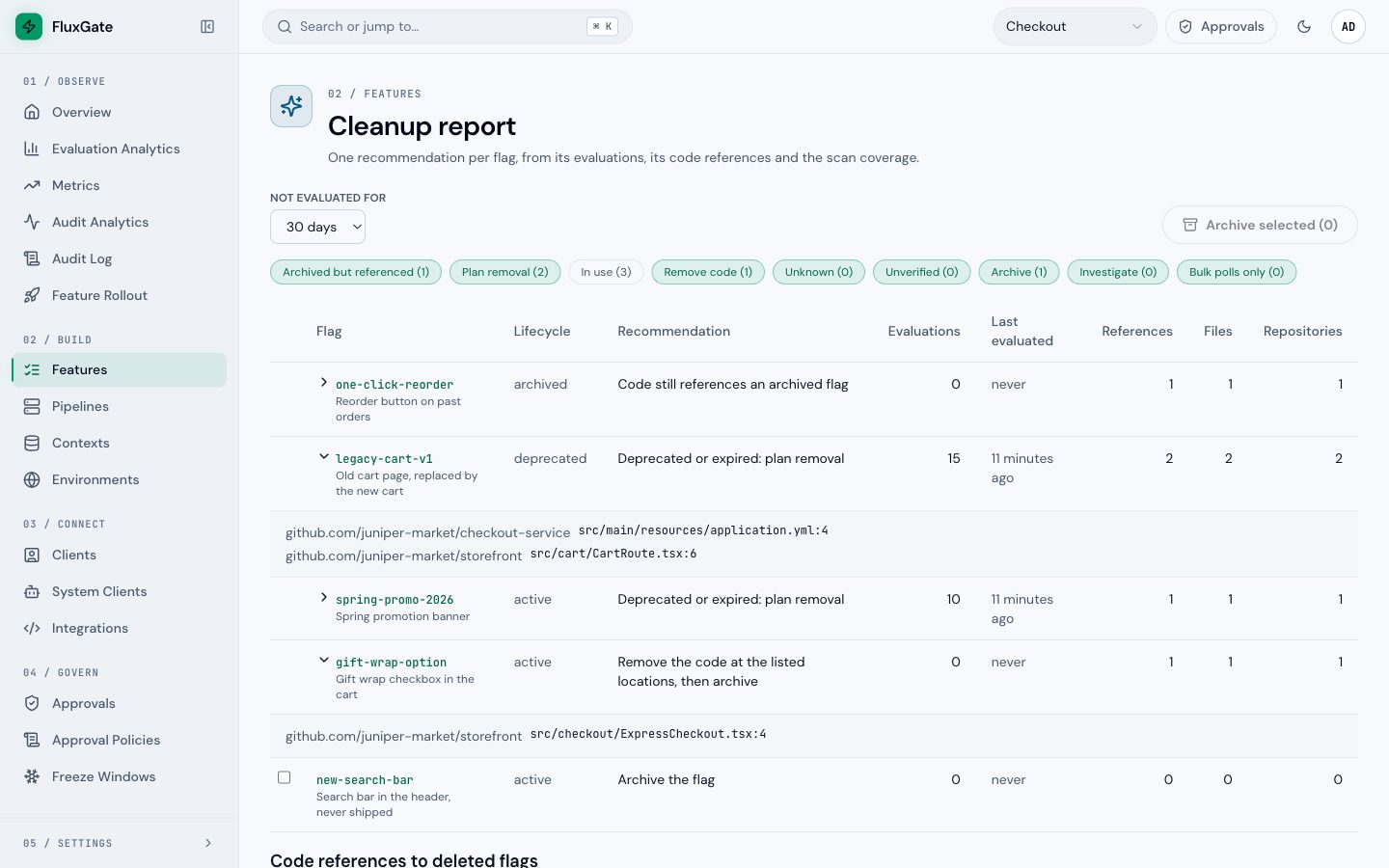
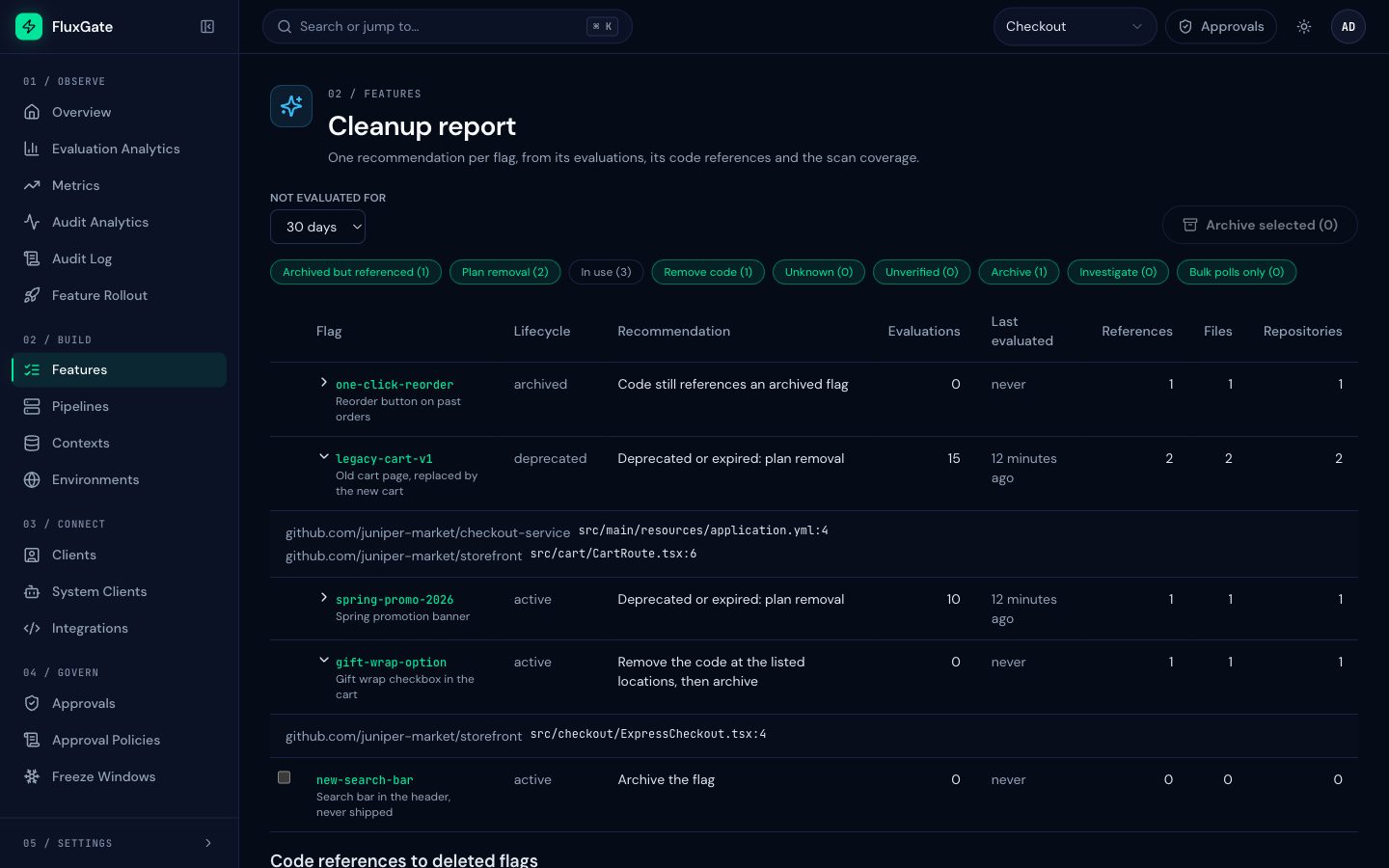
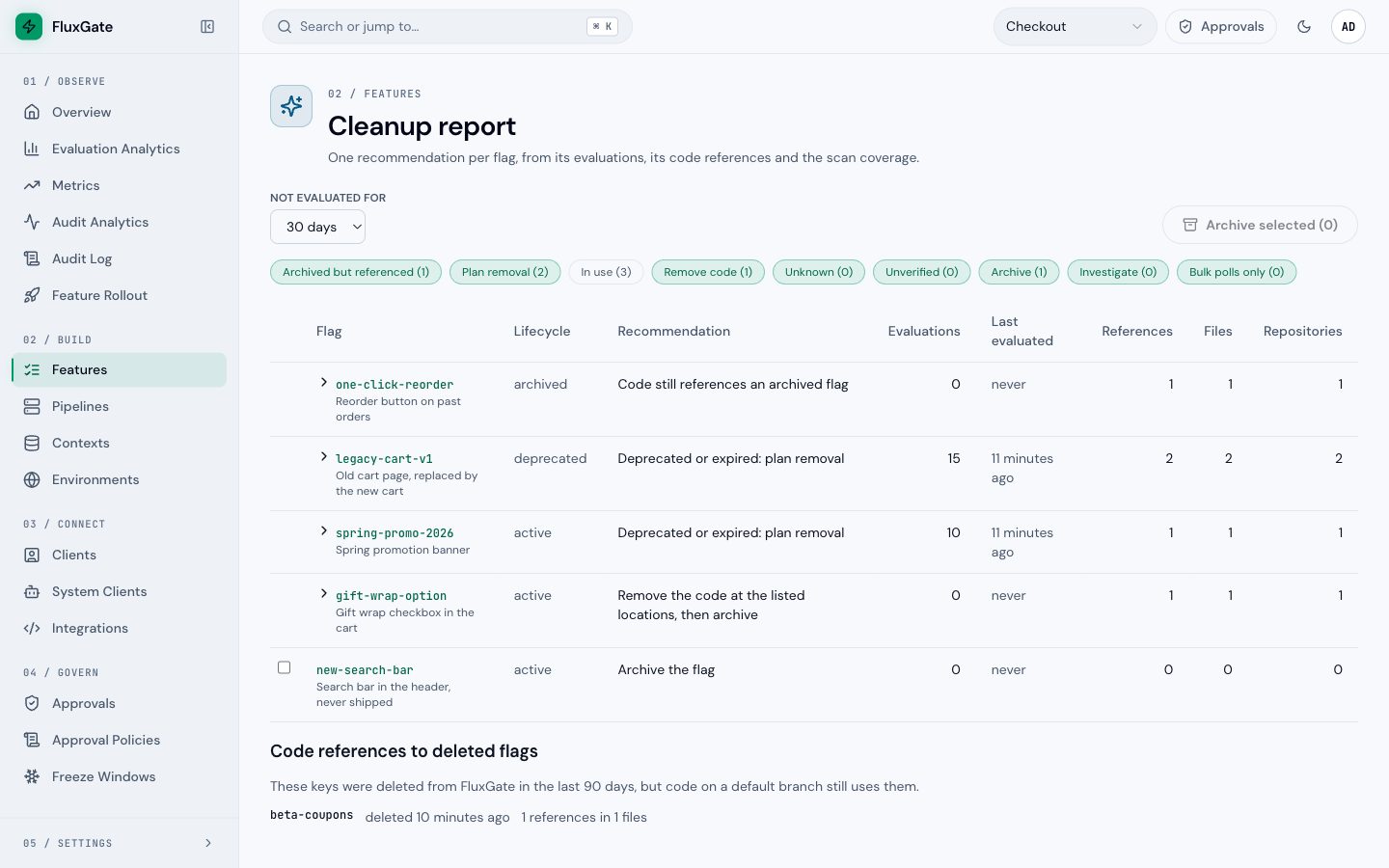
Open Features, then Cleanup report. Choose how long a flag must be unused: 30, 60 or 90 days. The chips filter the table by recommendation. In use is hidden at first.
The report combines three signals for each flag:
- Evaluations in the window. Evaluations from OpenFeature bulk polls are counted on their own, because a client that polls bulk reads every enabled flag of the team.
- References on the default branch of each repository.
- Coverage: whether every repository had a default-branch scan in the last 7 days (the backend's
coverage_days).
It holds active and deprecated flags older than the window, expired flags, and archived flags that code still references. Flags of a permanent kind (ops, permission, config) appear only when they expired or are archived and still referenced.
 (opens full size in a new tab)
 (opens full size in a new tab)
Recommendations
| Recommendation | Meaning |
|---|---|
| Archived but referenced | The flag is archived, but code still references it |
| Plan removal | The flag is deprecated or expired and still in use |
| In use | The flag is evaluated and the code references it |
| Remove code | Nothing evaluates the flag, but code still references it. Remove the code at the listed locations, then archive the flag |
| Unknown | No references were found, but some repositories were not scanned recently. Scan them first |
| Unverified | Nothing evaluates the flag (or only bulk polls), and no repository is scanned |
| Archive | Nothing evaluates the flag, no code references it, and every repository is covered |
| Investigate | The flag is evaluated, but no code references it: the key may be built at run time, live in a repository you did not register, or be read by another team |
| Bulk polls only | Only bulk polls read the flag, and no code references it |
Archive needs all three: no evaluations of any kind, no references, and full coverage. References that a scan found always count, even when some repositories are not covered.
Archive flags
Select the flags with Archive and choose Archive selected. Only those rows can be selected. Open a row with references to see the files and lines.
Delete an archived flag
An archived flag that nothing uses can be deleted for good. FluxGate refuses the delete while code, evaluations, stages, dependents or approvals still use it. See Delete a flag.
Code references to deleted flags
 (opens full size in a new tab)
 (opens full size in a new tab)
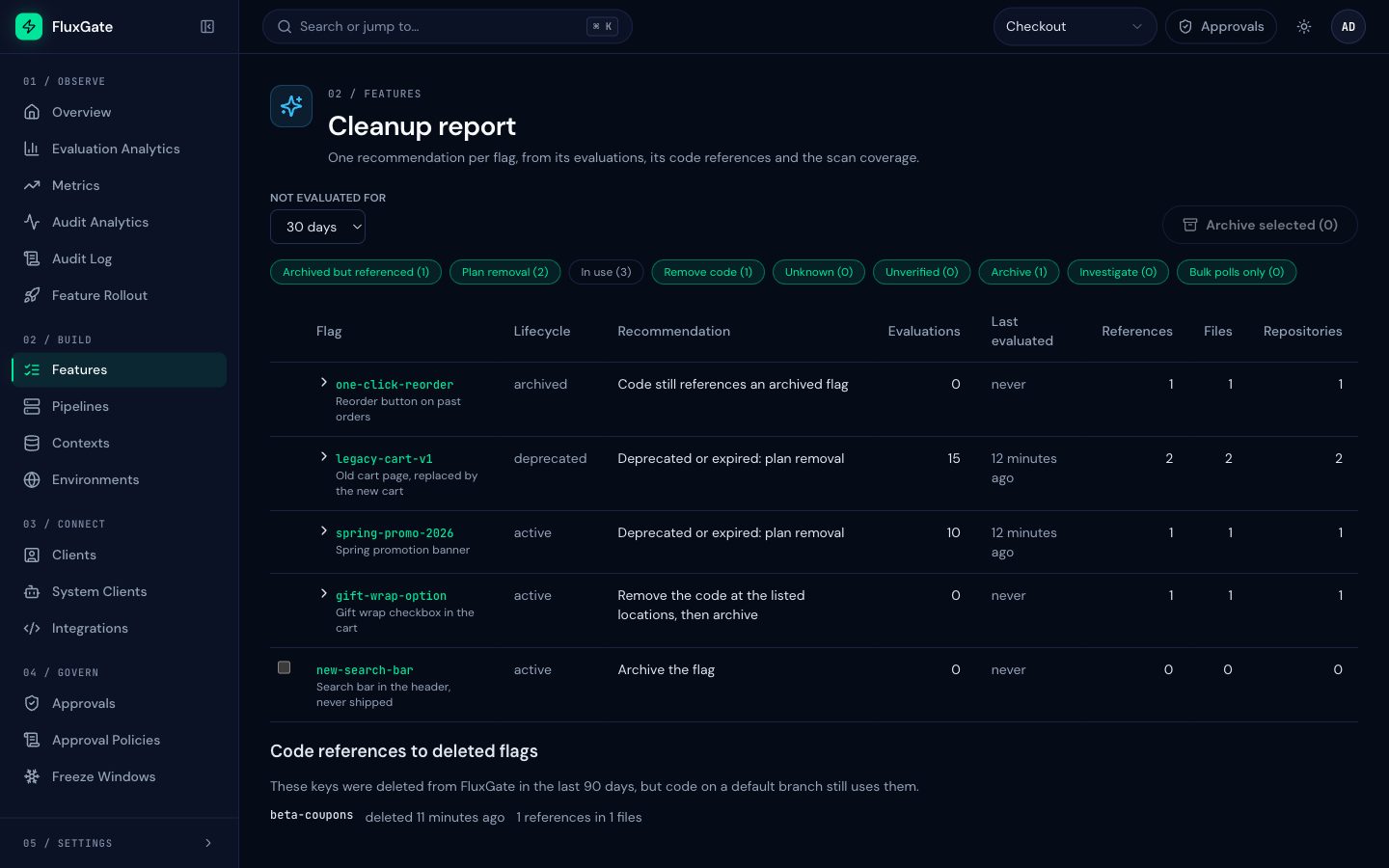
When code on a default branch still uses a flag key that was deleted from FluxGate in the last 90 days, the report lists the key in Code references to deleted flags, with the number of references and files. The scanner keeps searching deleted keys for 90 days, so these lines show up even after the flag is gone. A key leaves the list when a flag with the same key is created again.
Read the example
The Checkout team's report shows one flag for most recommendations:
| Flag | Evaluations | References | Recommendation | What to do |
|---|---|---|---|---|
one-click-reorder | 0 | 1 in PastOrders.tsx | Archived but referenced | Remove the useBooleanFlagValue('one-click-reorder', …) call, then delete the flag |
legacy-cart-v1 | 15 | 2, in both repositories | Plan removal | It is deprecated but still read: move the remaining callers to the new cart first |
spring-promo-2026 | 10 | 1 | Plan removal | It expired on 30 June: remove the promo code path |
gift-wrap-option | 0 | 1 in ExpressCheckout.tsx | Remove code | Delete the checkbox branch, then archive |
new-search-bar | 0 | 0, full coverage | Archive | Select it and choose Archive selected |
holiday-banner, saved-cards and address-autocomplete are In use and hidden until you select that chip. checkout-maintenance is an ops flag, a permanent kind, so it is not listed.
Filter the feature list
On Features, the filter In code shows only flags referenced on a default branch (Yes) or only flags that are not (No). The column Code refs counts the references once a repository is scanned. See Code references on the feature page.
Use the API
GET /api/v1/teams/{team_id}/flag-cleanup?inactiveDays=30&recommendation=archive,remove_code returns the report as JSON: coverage (state, number of repositories, the uncovered ones), one row per flag with recommendation, evaluations, bulkEvaluations, references, files and repositories, and deletedFlagReferences. inactiveDays is 1 to 90. The API values of the recommendations are archived_referenced, plan_removal, in_use, remove_code, unknown, unverified, archive, investigate and investigate_bulk_only.
Without the Business edition
The report works in every edition. Without code references, it shows evaluations only, and no flag gets Archive.