

Enterprise · Audit log
Export the audit log and feed a SIEM
Export any time range as CSV or NDJSON with one click or one request, and let a SIEM pull new events with a cursor that never skips one.
Video coming soon
Export the audit log and feed a SIEM
Before you start
- Sign in as
adminSystem admin. Only system admins can export the audit log. - For the REST API, you need the access token of a system admin's user session. Send it as
Authorization: Bearer <admin access token>. A system client token, such as the token ofci-code-refs, is refused with403. - The examples use
http://localhost:8080as the backend address. Replace it with yours.
Four ways out of the log
| Route | Use it for |
|---|---|
| Export on the Audit Log page | A one-off file for a review or an auditor. |
GET /api/v1/audit/export | A scripted export of a fixed time range, as one download. |
fluxgate audit-log export | The same export from a terminal, written safely to a file. |
GET /api/v1/audit/events | A SIEM or a log pipeline that pulls new events again and again, page by page. |
All four return the same events in the same shape. GET /api/v1/audit/schema lists the event types they can contain.
Export from the Audit Log page
- Click Audit Log under Observe.
- Set the filters, for example Checkout in Team and Last 24 hours in Time Range. Turn on Hide allow decisions to leave out the access checks that passed.
- Click Apply.
- Click Export. A menu opens with CSV and NDJSON.
- Click CSV or NDJSON. The browser downloads the file.
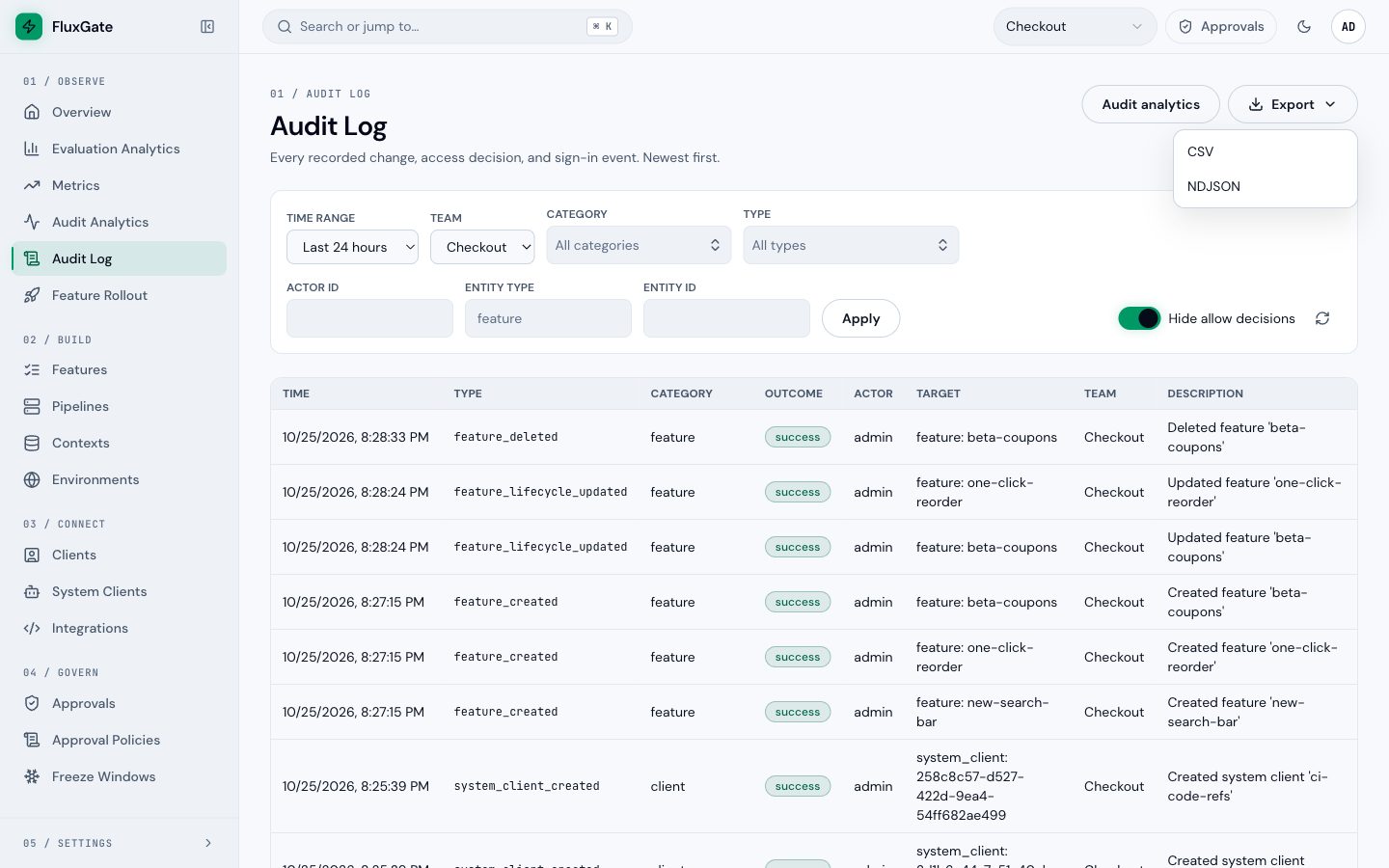 (opens full size in a new tab)
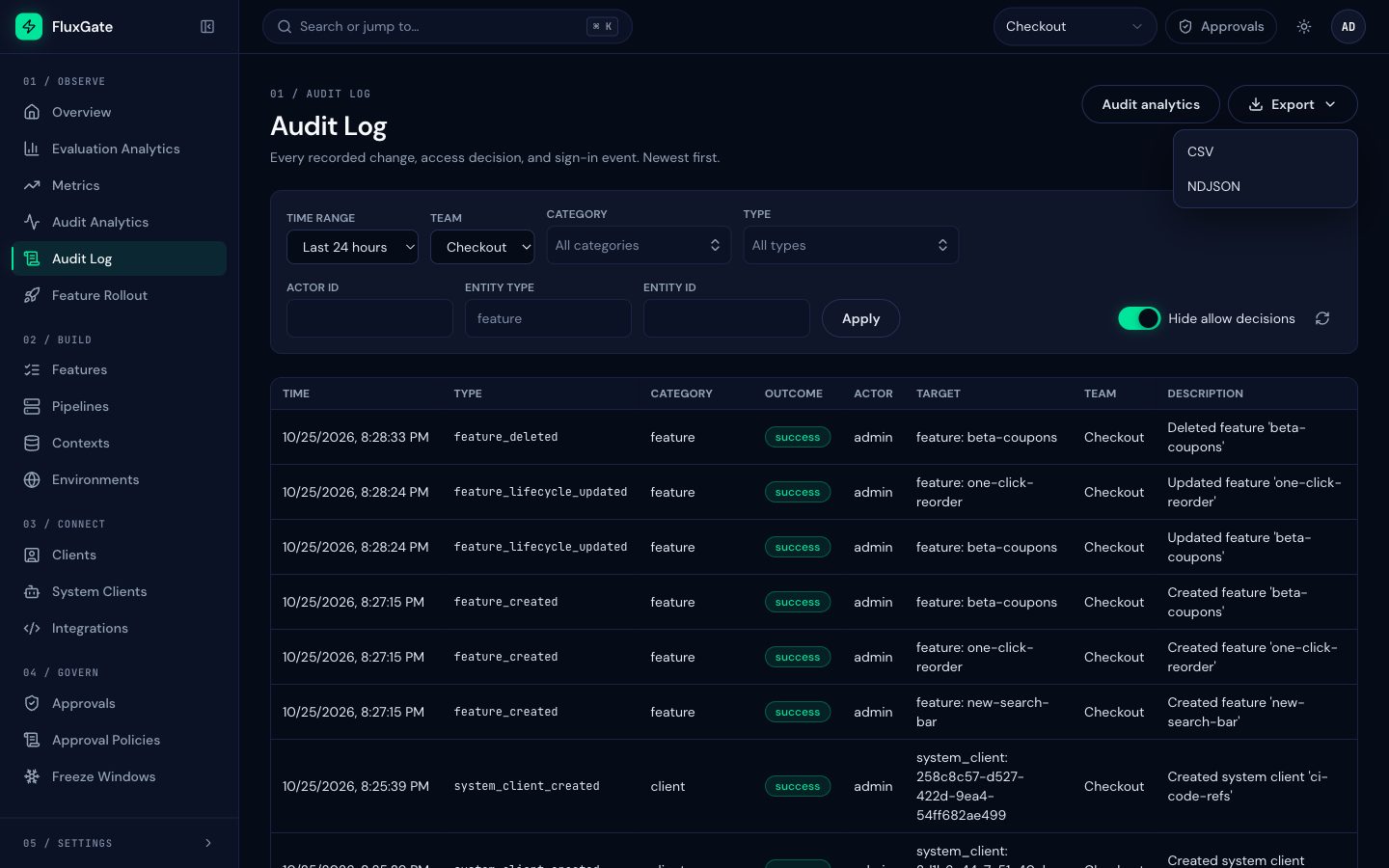 (opens full size in a new tab)
The page lists the newest entries first. The file is in time order, oldest first. Its name is fluxgate-audit-<from>-<to>.csv or .ndjson.
Each export writes one audit_exported entry. Its metadata holds format, from, to, and the other filters under filters, for example filters.team_id. The entry is system-wide: it has no team, so it does not appear in a team's activity feed, even when the export was filtered to that team. To find it, clear Team and choose the category audit.
Choose a format
CSV opens in a spreadsheet. It has one row per event, with these columns in this order:
event_id,occurred_at,type,category,outcome,actor_id,actor_name,actor_kind,target_type,target_id,target_key,team_id,environment_id,description,metadata_jsonCells follow RFC 4180 quoting. metadata_json holds the metadata as a JSON string.
NDJSON has one JSON event per line. Each line has the full event shape, with actor, target, metadata and source as nested objects. Use it for a SIEM, jq or a log pipeline.
Spreadsheet formula escaping
A spreadsheet runs a cell that starts with = as a formula. Text in an event, such as a name someone typed, can start with it. FluxGate protects you on export: a CSV cell that starts with =, +, -, @, a tab or a carriage return gets a leading '. The spreadsheet then shows the text and does not run it. Remove the leading ' before you compare such a value with the NDJSON export or the API.
Export with the REST API
GET /api/v1/audit/export streams the log as a download.
| Parameter | Meaning |
|---|---|
format | Required. csv or ndjson. |
from, to | Required. RFC 3339 times. The range is [from, to): to is exclusive. |
teamId, actorId, entityType, entityId | Optional exact-match filters. |
types, excludeTypes, categories | Optional. Repeat the key for several values: types=feature_created&types=feature_deleted. With both types and categories, you get their intersection. |
The export is always in ascending order. The response carries Cache-Control: no-store.
curl -sf -G http://localhost:8080/api/v1/audit/export \
  -H 'Authorization: Bearer <admin access token>' \
  --data-urlencode 'format=csv' \
  --data-urlencode 'from=2026-10-01T00:00:00Z' \
  --data-urlencode 'to=2026-11-01T00:00:00Z' \
-o october.csvcurl -sf -G http://localhost:8080/api/v1/audit/export \
-H 'Authorization: Bearer <admin access token>' \
--data-urlencode 'format=ndjson' \
--data-urlencode 'from=2026-10-25T00:00:00Z' \
--data-urlencode 'to=2026-10-26T00:00:00Z' \
--data-urlencode 'teamId=<Checkout team ID>' \
--data-urlencode 'categories=feature' \
--data-urlencode 'excludeTypes=policy_allow' \
-o checkout-2026-10-25.ndjsonExport with the command line
The fluxgate command line client exports the log too. Download it from Downloads and sign in as a system admin.
fluxgate audit-log export --from 2026-10-01T00:00:00Z --to 2026-11-01T00:00:00Z \
--format csv --out october.csv--fromand--toare required.--tois exclusive.--formatisndjson(the default) orcsv.--type,--categoryand--exclude-typefilter the export. You can repeat each of them.- With
--out, the export goes tooctober.csv.partialfirst. The fileoctober.csvappears only when the export is complete. If the export fails, the partial file is removed and an existingoctober.csvstays as it was. - Without
--out, the export goes to stdout. An export that fails partway leaves partial output there, so check the exit code. In a pipe, useset -o pipefail. - The export covers every team. Only the global
--teamflag limits it to one team. A team set inFLUXGATE_TEAMor in the profile is not sent. --timeout(default 30 seconds) limits the wait for the server to answer and for each next part of the export, not the whole export. If the server sends nothing for that long, the command fails with exit code 7.
Example lines
One NDJSON line, for the deletion of beta-coupons (ids shortened, line wrapped here for reading):
{"schema_version":1,"event_id":"7f1c…","occurred_at":"2026-10-25T20:28:33.412518Z",
 "type":"feature_deleted","category":"feature","outcome":"success",
 "actor":{"id":"3b9e…","name":"admin","kind":"user"},
 "target":{"type":"feature","id":"c42d…","key":"beta-coupons"},
 "team_id":"a8f0…","environment_id":null,
 "description":"Deleted feature 'beta-coupons'",
 "metadata":{"feature_id":"c42d…","feature_key":"beta-coupons","team_id":"a8f0…"},
 "source":{"product":"fluxgate","installation_id":"5e21…","version":"2.0.0"}}
The same event as a CSV row:
7f1c…,2026-10-25T20:28:33.412518Z,feature_deleted,feature,success,3b9e…,admin,user,feature,c42d…,beta-coupons,a8f0…,,Deleted feature 'beta-coupons',"{""feature_id"":""c42d…"",""feature_key"":""beta-coupons"",""team_id"":""a8f0…""}"Feed a SIEM
A SIEM needs every event once, and it runs again and again. Use GET /api/v1/audit/events with a cursor for that, not repeated exports of overlapping time ranges.
| Parameter | Meaning |
|---|---|
from, to | Optional RFC 3339 times. The range is [from, to). |
teamId, actorId, entityType, entityId | Optional exact-match filters. |
types, excludeTypes, categories | Optional. Repeat the key for several values. |
cursor | The nextCursor of an earlier page. |
limit | 1 to 1000. The default is 100. |
order | asc (the default) or desc. |
The response holds one page:
{"items":[{"schema_version":1,"event_id":"7f1c…","type":"feature_deleted","…":"…"}],"nextCursor":"<opaque cursor>"}items uses the same event shape as the NDJSON export. nextCursor is the position of the last event on the page. Treat it as opaque. An invalid parameter returns 400 invalid_input.
How the cursor works
- Pass
nextCursorback ascursorto get the next page. - A page with no events returns the
cursoryou sent, ornullif you sent none. You always have a position to continue from. - A page with fewer than
limitevents is the end of the data for now. Ask again later with the same cursor to get newer events. - The cursor never skips an event. FluxGate never returns an entry of a database transaction that is still open, so an event that commits late still comes after your cursor.
- A cursor is valid only for the filters it came from. Send the same filters with every request that uses a stored cursor.
Store the cursor, drop repeats
This script pages through new events and prints one JSON event per line, ready for a SIEM forwarder. It stores the cursor in a state file after each page. The next run resumes from it. The first run, without a state file, starts at the oldest event.
#!/bin/sh
# Needs FLUXGATE_URL (for example https://fluxgate.example.com) and FLUXGATE_TOKEN
# (the access token of a system admin user session).
STATE=${STATE:-/var/lib/fluxgate-audit/cursor}
LIMIT=1000

cursor=$(cat "$STATE" 2>/dev/null || true)

while :; do
  set --
  [ -n "$cursor" ] && set -- --data-urlencode "cursor=$cursor"
  page=$(curl -sf -G "$FLUXGATE_URL/api/v1/audit/events" \
    -H "Authorization: Bearer $FLUXGATE_TOKEN" \
    --data-urlencode "limit=$LIMIT" "$@") || exit 1

  echo "$page" | jq -c '.items[]'

  next=$(echo "$page" | jq -r '.nextCursor // empty')
  if [ -n "$next" ]; then
    cursor=$next
    printf '%s\n' "$cursor" > "$STATE.tmp" && mv "$STATE.tmp" "$STATE"
  fi

  # A short page is the end of the data for now.
  [ "$(echo "$page" | jq '.items | length')" -lt "$LIMIT" ] && break
done
Run it on a schedule, for example every minute. If the script stops after it prints a page and before it saves the cursor, the next run prints that page again. Delivery is at least once: let the SIEM drop repeats by event_id.
The schema endpoint
GET /api/v1/audit/schema returns the schema version and the catalogue of event types, each with its category, outcome and description:
curl -sf http://localhost:8080/api/v1/audit/schema \
  -H 'Authorization: Bearer <admin access token>' \
| jq '.types[] | select(.category == "client")'{"schemaVersion":1,"types":[
{"type":"feature_created","category":"feature","outcome":"success","description":"A feature was created."},
{"type":"policy_deny","category":"access_policy","outcome":"denied","description":"An access policy refused a request."}
]}Use it to map types to categories in your SIEM, or to check that a rule names a type that exists.
Event fields
Field names are snake_case in NDJSON and in items, and they match the CSV columns.
| Field | Meaning |
|---|---|
schema_version | 1. Adding a field, a category, an outcome or a type keeps the version. Renaming or removing a field, or changing its meaning, raises it. Ignore fields you do not know. |
event_id | The id of the entry. Use it to drop repeats. |
occurred_at | RFC 3339 UTC, with microseconds. The start time of the database transaction, so it can step back slightly between two events in a row. |
type | The event type, for example feature_deleted. |
category | The category of the type, for example feature. |
outcome | success, denied (a request was refused) or blocked (a freeze window held a change back). |
actor | id, name and kind. kind is user, system_client or system (no actor). CSV: actor_id, actor_name, actor_kind. |
target | type, id and key of the object. key is the flag key or the object key when there is one. CSV: target_type, target_id, target_key. |
team_id | The team of the object. null for system-wide entries such as license, user, role, SSO, JWT secret, notification, edge snapshot key and export entries. |
environment_id | The environment of the change, or null. |
description | One sentence, for example "Deleted feature 'beta-coupons'". |
metadata | Extra keys of the event, as stored. {} when there are none. CSV: metadata_json. |
source | product (fluxgate), installation_id and version, the version that GET /health reports. Not in the CSV. |
The metadata never holds tokens, secrets, targeting condition values or context entries.
Limits
- Two exports at a time. Each admin can run two exports at once. A third returns
429 rate_limitedwith aRetry-Afterheader. Wait that many seconds and try again. - One request per export. If the database fails after the download has started, the file ends early. The response cannot report the failure. Compare the line count with what you expect, or export the range again.
- Late entries. A new entry becomes readable in
/audit/eventsand in exports only when no older database transaction is still open. A long transaction, or a session left idle in a transaction, anywhere on the PostgreSQL cluster holds back new entries until it ends. - Reads are not logged. Reads of
/audit/eventsand/audit/schemawrite no entry. Each export writes oneaudit_exportedentry. - Metadata can change after the fact. An AI justification is added to an event after its change commits. An export shows the metadata as it is at export time, so the same event can differ between two exports.
Examples
Set idle_in_transaction_session_timeout
Set this on the PostgreSQL server of FluxGate so that an abandoned session cannot hold the log back for long:
psql -U postgres -c "ALTER SYSTEM SET idle_in_transaction_session_timeout = '5min';" \
  -c "SELECT pg_reload_conf();"
The setting applies to the whole cluster, so check that no other application on it keeps transactions open on purpose for longer.
Handle 429
HTTP/1.1 429 Too Many Requests
Retry-After: 30
The number in Retry-After is an example. Read it from the response.
Good to know
- Only system admins with a user session can export or read the audit log. A non-admin user and a system client token get
403. tois exclusive. To export October, usefrom=2026-10-01T00:00:00Zandto=2026-11-01T00:00:00Z.- An export covers every team unless you send
teamId. - Entries exported before an upgrade can have
team_idnullwhere a newer export shows the team. Export the range again if your SIEM needs the team. /api/v1/audit/eventsreturns events oldest first by default. Useorder=descto read the newest first, but page a SIEM in ascending order.
Troubleshooting
The export or the API returns 403
The token belongs to a system client, or to a user who is not a system admin. Use the access token of a system admin's user session.
The export returns 429 rate_limited
You already run two exports. Wait for one to finish, or wait for the Retry-After time.
The file ends in the middle of a line
The database failed during the export. Export the range again.
New changes do not appear in the export
An older database transaction is still open. Find it in pg_stat_activity and end it, then set idle_in_transaction_session_timeout as shown above.
Next
See what the log records and how to read an entry in Audit log.